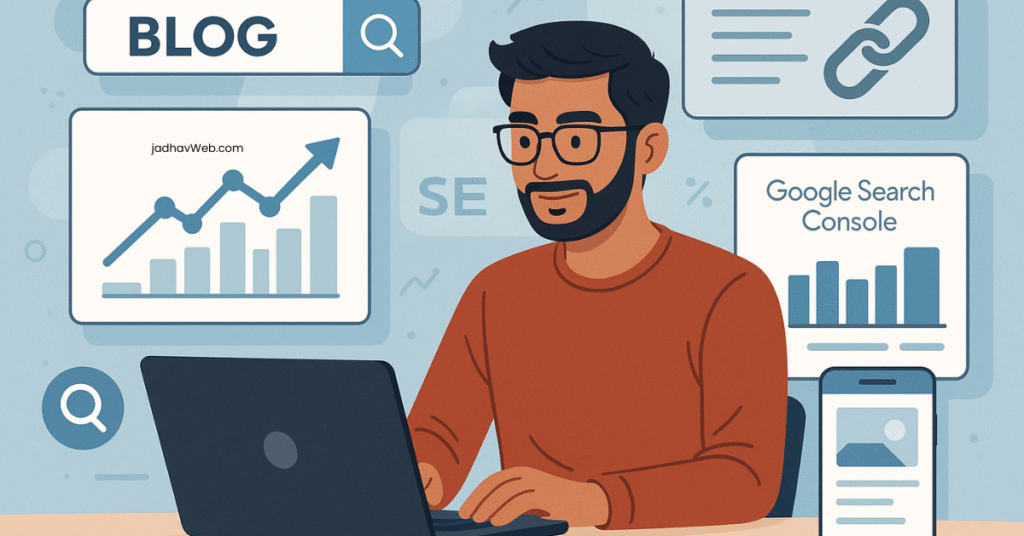
Starting a blog in 2025 is incredibly accessible—thanks to user-friendly platforms like WordPress, low-cost hosting options, and countless drag-and-drop themes. With just a domain name and a few clicks, anyone can launch a blog within a few hours. The barrier to entry has never been lower. However, while launching a blog is simple, getting noticed on Google and generating organic traffic is the real challenge. This is where Search Engine Optimization (SEO) becomes the game-changer.
Search engines like Google process billions of searches every day. If your blog isn’t properly optimized, it will get lost in the noise—no matter how great your content is. SEO helps your blog posts rank higher in search results, which means more visibility, more clicks, and eventually more income if you’re monetizing.
Whether you’re a total beginner who just hit “publish” on your first article or an experienced content creator aiming to build a large-scale blog business, having a strong SEO foundation from the start is crucial. If you ignore SEO in the beginning, you’ll likely have to go back and fix hundreds of issues later—wasting both time and ranking potential.
That’s why this step-by-step SEO checklist, created by the experts at JadhavWeb.com, is designed specifically for new bloggers. It covers every aspect of blog optimization you need to succeed in 2025—starting from the technical setup of your blog, to on-page SEO techniques, content structuring, and advanced off-page SEO strategies like backlink building and brand authority.
By following this comprehensive guide, you’ll ensure that your WordPress blog is not just live—but also search engine-ready. Think of it as your blueprint for building long-term, sustainable traffic that grows over time, with less reliance on social media or ads.
📌 Want to learn how to set up your blog properly before diving into SEO? Check out our beginner-friendly WordPress Blog Setup Guide (2025) and get started on the right foot. Also, explore our On-Page SEO Tips for Beginners to start optimizing your posts like a pro.
🔍 What Is SEO & Why It Matters for New Blogs? – Explained in Detail
Search Engine Optimization (SEO) refers to the process of improving your website so that it ranks higher in search engine results pages (commonly called SERPs). When someone searches for a topic related to your blog—like “best hosting for beginners” or “how to start a blog in India”—Google and other search engines decide which websites appear at the top. SEO helps ensure your blog is one of them.
SEO involves a wide range of strategies, including:
- Using the right keywords your audience is searching for
- Ensuring your blog loads fast and works on mobile devices
- Creating high-quality, valuable content
- Optimizing your titles, meta descriptions, and headings
- Earning backlinks from other reputable sites
All of this signals to Google that your blog is relevant, trustworthy, and worth ranking—which is essential if you want to be found online.
For new bloggers, SEO is even more important. Why? Because you’re starting with zero traffic, no reputation, and limited authority. You need a consistent and scalable way to drive readers to your content—and SEO is the most reliable long-term solution.
Unlike paid traffic, which can quickly drain your budget through ads (like Google Ads or Facebook Ads), or social media traffic, which often brings short-term spikes and depends on algorithms or virality, organic traffic from search engines is:
- Free (you don’t pay per click)
- Targeted (people are actively searching for what you’re writing about)
- Evergreen (a well-optimized blog post can bring traffic for years)
In 2025, with competition at an all-time high, ignoring SEO is not an option—especially if you’re serious about growing your blog into a long-term digital asset. Whether your goal is monetization, brand building, or just sharing knowledge, SEO gives you visibility in the noisy online world.
✅ Pro Tip: The earlier you start optimizing for SEO, the faster your blog can grow—both in traffic and authority.
✅ Complete SEO Checklist for New Blogs in 2025 – Explained in Detail
Search Engine Optimization is not a single task—it’s a structured, multi-layered process that involves optimizing everything from your blog’s technical structure to your content strategy and link profile. For new blogs, following a clear, categorized checklist is the smartest way to build a strong SEO foundation from day one.
In this guide, we break down SEO into four core categories, each covering a critical aspect of blog optimization. These aren’t just random tips—they’re the building blocks that, when combined, help Google understand your site, rank your pages, and send you long-term organic traffic.
Here’s a closer look at the four pillars of the SEO checklist:
🔧 1. Technical SEO Setup
This is the foundation of your blog’s SEO. Technical SEO ensures your website is crawlable, indexable, secure, and fast-loading—all of which are essential for search engines to properly understand and rank your content.
Key technical SEO tasks include:
- Choosing a fast, SEO-friendly WordPress host
- Installing an SSL certificate (HTTPS)
- Setting up Google Search Console and Google Analytics
- Creating and submitting your XML sitemap
- Optimizing your robots.txt file
- Ensuring your blog is mobile-friendly
- Avoiding broken links and crawl errors
Without solid technical SEO, even the best content might not appear in Google’s index—or may rank poorly due to slow speed or mobile usability issues.
📝 2. On-Page Optimization
On-page SEO focuses on everything that appears directly on your website—primarily the structure and elements of individual blog posts or pages. This is where you tell Google: “Here’s what this page is about.”
Important on-page SEO elements include:
- Optimized title tags (with keywords)
- Properly structured headings (H1, H2, H3)
- SEO-friendly URLs (clean, short, keyword-based)
- Compelling meta descriptions
- Internal linking to other related blog posts
- Use of alt text for images
- Page formatting for better readability (bullet points, tables, spacing)
On-page SEO helps search engines and readers understand the value and relevance of your content. It also improves CTR (click-through rate) and time on site—both positive SEO signals.
📚 3. Content SEO
Content is still king—but only if it’s high-quality, relevant, and optimized for both users and search engines. Content SEO is about what you publish, how you structure it, and which keywords you target.
To master content SEO:
- Conduct keyword research before writing
- Use a mix of primary and long-tail keywords
- Focus on search intent (informational, commercial, transactional)
- Create in-depth, helpful content that solves user problems
- Use schema markup for FAQs or reviews
- Keep content updated with the latest data
Google wants to rank content that serves the searcher’s intent better than the competition. That means new blogs must create content that’s not only original but also strategically structured and optimized for discoverability.
🔗 4. Off-Page SEO & Backlinking
Off-page SEO refers to everything that happens outside your blog that affects your search rankings—primarily your backlink profile and brand authority.
Search engines consider backlinks as “votes of trust.” The more quality websites that link to your blog, the more likely Google is to trust and rank your content higher.
Effective off-page strategies include:
- Building high-quality backlinks through guest posting
- Listing your blog on web directories and forums
- Earning links naturally via shareable content
- Engaging in content collaborations or interviews
- Promoting your content on social media platforms
Off-page SEO takes time, but it’s essential for building domain authority—especially for new blogs competing in saturated niches.
✅ Summary:
By breaking SEO down into these four categories, you can approach your blog’s growth in a methodical and sustainable way. Think of each part as a layer in a pyramid:
- Technical SEO – Ensures your blog is discoverable
- On-Page SEO – Tells search engines what each page is about
- Content SEO – Provides value and relevance for users
- Off-Page SEO – Builds authority and trust in your niche
🔍 Bonus: To follow these strategies step-by-step, explore our full SEO Checklist for New Blogs and related resources like our On-Page SEO Guide and How to Connect Google Search Console to WordPress.
🔧 1. Technical SEO Setup (Foundation for Ranking) – Explained in Detail
Technical SEO forms the backbone of your blog’s visibility in search engines. While content and keywords are important, none of it matters if Google can’t properly crawl, index, or understand your site. Technical SEO ensures your WordPress blog is fast, secure, mobile-friendly, and properly structured for search engines to interpret and rank it.
Below is a breakdown of each step in the Technical SEO checklist for new blogs:
✅ Choose SEO-Friendly Hosting
Your web hosting provider plays a major role in your blog’s SEO. Why?
- Speed: Slow-loading sites frustrate users and are penalized by Google in rankings.
- Uptime: Frequent downtime means your site is unavailable to both users and search engines.
- Security: Google prioritizes secure, HTTPS-enabled websites.
Choosing a reliable, fast, and secure hosting company is your first step. Two solid options for Indian bloggers are:
- Hostinger India – Affordable, beginner-friendly, with fast SSD storage and free SSL.
- Bluehost India – Official WordPress-recommended host, great for WordPress beginners.
📘 Explore more in our guide: Best Hosting for WordPress Blogs in 2025
✅ Use a Reliable SEO Plugin
An SEO plugin automates many essential technical and on-page SEO tasks inside your WordPress dashboard.
Top plugin options include:
- Rank Math SEO – Recommended for advanced control over on-page SEO, schema markup, 404 monitoring, redirections, and Google integration.
- Yoast SEO – Very beginner-friendly with real-time SEO suggestions.
- All in One SEO (AIOSEO) – Great for business blogs and integrates well with WooCommerce.
These plugins help you:
- Add custom meta titles and descriptions
- Control indexing rules (e.g., noindex certain pages)
- Generate an XML sitemap
- Enable schema markup for enhanced rich results
✅ Install Google Search Console & Google Analytics
These are essential free tools from Google that give you powerful insights into your blog’s performance:
- Google Search Console – Helps monitor:
- Which keywords your blog ranks for
- How often your posts appear in search
- Indexing errors, mobile usability, Core Web Vitals
- Google Analytics 4 (GA4) – Tracks:
- Website traffic volume
- Bounce rates
- User engagement
- Traffic sources (organic, social, referral, direct)
✅ New to this? Follow our full tutorial: How to Connect Google Search Console to WordPress
✅ Create and Submit Your Sitemap
An XML sitemap is a file that lists all the important pages on your blog. It helps Google discover and index your content efficiently.
Steps:
- Use your SEO plugin (like Rank Math or Yoast) to generate a sitemap:
Example:https://yourdomain.com/sitemap_index.xml - Submit the sitemap to Google via Search Console:
- Go to “Sitemaps” section
- Paste the URL and click Submit
Without a sitemap, Google might miss important pages—especially for new blogs with few backlinks.
✅ Optimize Robots.txt
The robots.txt file tells search engine crawlers which parts of your site they can or cannot access.
A basic WordPress-friendly robots.txt looks like this:
plaintextCopyEditUser-agent: *
Disallow: /wp-admin/
Allow: /wp-admin/admin-ajax.php
Disallowprevents bots from wasting time crawling unnecessary admin areas.Allowenables AJAX scripts needed for proper site functionality.
You can edit this file via your SEO plugin or by uploading it to the root directory via FTP.
✅ Set Up SSL (HTTPS)
Google prefers secure websites. If your blog still runs on HTTP, you’re not only scaring away users but also damaging your search rankings.
- Most hosting providers offer free Let’s Encrypt SSL.
- Once installed, your blog URL should start with https:// instead of http://.
- You can use a plugin like Really Simple SSL to automatically redirect all pages.
📌 SSL also builds user trust—especially if you’re collecting emails or selling products.
✅ Mobile-Friendliness Check
With mobile-first indexing, Google prioritizes the mobile version of your blog when deciding how to rank it.
Steps to ensure mobile readiness:
- Run your site through Google’s Mobile-Friendly Test
- Use responsive WordPress themes like:
- Astra – Fast, customizable
- Neve – Lightweight and AMP-ready
- Kadence – Feature-rich and mobile-optimized
- Avoid:
- Intrusive popups
- Small fonts
- Overly complex menus
📘 More on this: Best Free WordPress Themes for Blogs in 2025
✅ Set a Custom Domain (No .wordpress.com)
If you’re using a free WordPress subdomain like yourname.wordpress.com, it’s time to upgrade.
Why a custom domain matters:
- Looks professional
- Easier to remember and share
- Builds brand authority
- Google trusts top-level domains like
.com,.in,.org, etc.
Platforms like Hostinger or GoDaddy let you register a .com domain for as little as ₹500–₹900/year.
🧾 Summary:
Technical SEO might sound “technical,” but it’s the foundation that ensures your blog is accessible, indexable, fast, and secure—so your amazing content can actually rank.
By completing all these steps, you’re giving your blog the best possible start for long-term SEO success in 2025.
📝 2. On-Page SEO Checklist – Explained in Detail
On-Page SEO is the practice of optimizing individual pages and blog posts to rank higher in search engines. It focuses on content and the HTML source code — making it easier for both search engines and users to understand what your page is about.
This section of the checklist helps new bloggers structure their blog posts in a way that’s search engine friendly, readable, and conversion-focused.
✅ Set a Clean URL Structure
Your blog’s URL structure (also called permalinks) should be short, readable, and keyword-rich. Clean URLs are easy for both humans and search engines to understand.
To set this:
- Go to your WordPress dashboard
- Navigate to Settings > Permalinks
- Choose the option labeled “Post name”
Example:
- ✅
https://yourdomain.com/best-seo-tools/ - ❌
https://yourdomain.com/?p=123
This improves SEO and makes your links more clickable on social media and search engines.
✅ Write SEO-Friendly Title Tags
Your title tag is what appears as the clickable headline in Google search results. It is one of the most important on-page SEO factors.
Best practices:
- Keep it under 60 characters (so it doesn’t get cut off)
- Place your target keyword near the beginning
- Add your brand name at the end (for credibility)
Example:
"SEO Checklist for New Blogs in 2025 | JadhavWeb"
This title is keyword-rich, has a date for freshness, and adds branding for trust.
✅ Optimize Meta Descriptions
The meta description is the short summary that appears below your title in Google results. While it doesn’t directly impact rankings, it heavily influences click-through rates (CTR).
Best practices:
- Keep it under 155 characters
- Include the focus keyword
- Add a compelling CTA (call to action)
Example:
“Step-by-step SEO checklist for new blogs in 2025. Optimize your site, rank faster, and get more traffic today!”
This tells users what the page is about and gives them a reason to click.
✅ Use Heading Tags Properly (H1 → H2 → H3)
Heading tags help organize your content and give search engines context about your page’s structure.
Best practices:
- Use only one H1 tag per page (usually your main post title)
- Use H2s for subheadings (major sections)
- Use H3s for supporting or nested points under H2s
Why it matters:
- Helps Google understand content hierarchy
- Improves readability for users and voice search tools
Think of heading tags as the outline or table of contents of your article.
✅ Add Focus Keywords Naturally
Your focus keyword is the primary phrase you want the blog post to rank for. It should be used strategically, but not forcefully.
Places to include your focus keyword:
- Title tag
- URL
- First 100 words of your content
- Subheadings (where it makes sense)
- Meta description
- Image alt text
Avoid keyword stuffing. Google prefers natural language, so use synonyms and related phrases when appropriate.
📘 Tools to help: Ubersuggest, Google Keyword Planner
✅ Internal Linking
Internal links connect one page or blog post on your website to another relevant one. This improves site navigation, reduces bounce rate, and helps with SEO by spreading link equity.
How to do it:
- Add links to older or related posts within new blog content
- Use relevant anchor text that reflects the page being linked to
Examples:
Google also uses internal linking to discover new pages and understand site structure.
✅ Optimize Images (Size + Alt Text)
Images enhance the reader’s experience but must be optimized for performance and SEO.
Best practices:
- Compress Images: Use tools like TinyPNG or ShortPixel to reduce file sizes, which improves loading speed—a ranking factor.
- Use Descriptive Alt Text: This describes what the image is about. It improves accessibility and helps search engines understand the visual content.
Example alt text:
“SEO checklist for new blogs WordPress illustration”
This also gives you another opportunity to include your focus keyword.
✅ Summary
This On-Page SEO checklist is essential for helping new blogs get discovered, ranked, and clicked in Google. It focuses on content clarity, structure, keyword use, and user experience—all key elements of sustainable SEO growth.
🚀 Pro Tip: Apply this checklist before and after publishing each blog post to ensure maximum visibility in search engines.
📚 3. Content SEO for New Blogs – Explained in Detail
Content SEO is the practice of optimizing your blog content so it ranks higher in search engines and delivers value to your readers. It goes beyond just writing – it’s about strategically creating content that answers specific user queries, is aligned with search intent, and uses structured formatting that Google can easily understand.
For new bloggers, this is where you start building authority and visibility. Let’s unpack each point in this section:
✅ Create Keyword-Optimized Blog Posts
Keyword optimization is the process of naturally incorporating search phrases that people are actively typing into Google. Instead of guessing, you use keyword research tools to find:
- What your audience is searching for
- The search volume of those keywords
- Their ranking difficulty
Recommended tools:
- Surfer SEO – Helps you optimize content length, keyword density, and structure by comparing top-ranking pages.
- Frase.io – AI-driven content brief generator that helps you cover the right questions and subtopics.
- SEMRush via BeRush affiliate – A complete keyword research + competitor analysis suite.
📌 Focus on long-tail keywords—phrases that are longer, more specific, and have lower competition but higher intent.
Example: Instead of “SEO,” target “SEO checklist for new bloggers in India.”
This increases your chances of ranking faster with fewer backlinks.
✅ Write Long-Form Content (1000+ Words)
Long-form content generally performs better on Google because it:
- Answers the user’s query in depth
- Increases time on page
- Encourages backlinks and social shares
- Signals authority and expertise
Search engines prioritize content that provides comprehensive value over superficial blog posts. Aim for at least 1000–1500 words, especially in competitive niches.
Structure your blog post like this:
- ✅ Introduction
- Hook the reader with a strong opening
- Introduce the topic and include your focus keyword naturally
- ✅ What/Why/How Sections
- Explain the concept (What is it?)
- Show its importance (Why does it matter?)
- Provide actionable steps (How to do it?)
- ✅ Internal + External Links
- Link to related articles on your blog (improves SEO and navigation)
- Link to trusted external sources (adds credibility)
- ✅ FAQs with Schema (optional)
- Answer common questions clearly
- Use schema markup to improve your chances of showing in Google’s “People Also Ask” or featured snippets
- ✅ Call-to-Action (CTA)
- At the end, invite readers to comment, share, or check out related content
- Example: “Want more tips like this? Subscribe to the JadhavWeb newsletter!”
📘 Bonus: Use a table of contents plugin to make long posts more scannable.
✅ Add FAQs with Schema Markup
Schema markup is structured data that helps search engines better understand your content. Adding FAQ schema can enhance your search result with dropdown-style answers and increase click-through rates.
How to do it:
- Use an SEO plugin like Rank Math or Yoast SEO Premium
- Add an FAQ block under relevant sections
- Fill in clear questions and answers
- Enable schema markup with one click
This improves your chances of being featured in:
- Google’s “People Also Ask”
- Featured Snippets
- Voice Search Results
📌 Example: A blog post about “how to start a blog” could include FAQs like:
- How much does it cost to start a blog in India?
- Can I start blogging without technical knowledge?
✅ Update Outdated Content Regularly
Google prefers fresh, up-to-date content—especially for topics that evolve quickly (like SEO, tech, finance, etc.). Even evergreen content can become outdated over time.
Why it matters:
- Fresh content gets re-indexed faster
- It improves your ranking stability
- Users get more accurate and relevant info
- It signals to Google that your site is active and maintained
How to do it:
- Revisit top-performing posts every 6–12 months
- Update stats, screenshots, product links, or broken URLs
- Refresh the meta title and description to reflect current trends
- Add new internal links to newer articles
Pro Tip: After updating, resubmit the URL to Google Search Console for faster re-indexing.
✅ Summary
Content SEO is not just about writing; it’s about writing with purpose, structure, and data-backed strategy. By:
- Targeting the right keywords,
- Creating long-form content that genuinely helps users,
- Structuring posts for readability and Google’s understanding,
- And keeping everything up to date,
you’ll build a blog that not only ranks—but also converts visitors into loyal readers or customers.
🚀 Ready to apply these strategies? Don’t miss our related guides:
🔗 4. Off-Page SEO & Link Building – Explained in Detail
Off-Page SEO refers to all the activities you do outside your website to improve its search engine rankings. The most important part of off-page SEO is link building, which involves getting other websites to link back to your content.
Search engines like Google see these backlinks as votes of confidence. The more high-quality and relevant backlinks you have pointing to your blog, the more likely you are to rank higher in search results. But it’s not just about quantity — quality, relevance, and authority of the linking site matter most.
Here’s how to approach off-page SEO effectively in 2025:
✅ Create High-Quality Backlinks
This is the core of off-page SEO. Backlinks from trusted, relevant websites send strong signals to search engines that your content is valuable.
Here are proven methods to earn them:
- Guest Posting on Niche Blogs
Write useful, relevant blog posts for other websites in your niche. In return, they’ll typically allow a link back to your blog. Example: If you blog about digital marketing, write a guest post for a startup-focused blog with a link to your article on affiliate marketing tips. - Answering Questions on Quora
Quora is a high-authority platform. Answer questions related to your blog niche and include contextual links back to relevant blog posts. Ensure your answers are helpful—not just self-promotional. Pro Tip: Use Quora to find “long-tail keyword” opportunities too. - Cross-Posting on Medium
Publish summaries or slightly altered versions of your blog posts on Medium with canonical tags (or link back to your original). This gets your content in front of new audiences without duplicate content issues. - HARO (Help a Reporter Out)
Sign up for HARO, respond to journalist queries in your area of expertise, and earn high-authority backlinks from publications like Times of India, Entrepreneur, or Inc.
📌 Tip: Aim for links from DA 40+ websites that are relevant to your niche for best results.
✅ List Your Blog on Directories
Submitting your blog to reputable online directories helps with:
- Getting initial backlinks
- Improving brand visibility
- Driving referral traffic
Here are top directory sites for Indian and global bloggers:
- Blogarama – Global blog directory
- IndiBlogger – India’s most popular blog directory
- Feedspot – Lets you list your blog in niche categories
- Alltop – Content aggregator with high domain authority
Make sure your blog has at least 5–10 quality posts before submitting, and write a clear, keyword-rich description when filling in your profile.
✅ Share Posts on Social Media
While social media links are typically “nofollow” (which means they don’t directly impact SEO), they help amplify your content, get it indexed faster, and attract potential backlinks.
Suggested platforms:
- Twitter (X) – Share blog updates, SEO tips, and engage with industry experts using hashtags like #SEO #WordPress #BloggingIndia
- LinkedIn – Great for sharing professional content or case studies. Adds credibility and builds authority in your niche.
- Pinterest – Ideal for visual blogs like travel, fashion, DIY, and food. Create pins linking to your blog posts for passive traffic.
📌 Bonus: Add social sharing buttons to your blog using plugins like Sassy Social Share or Monarch to increase content reach.
✅ Join Niche Facebook & WhatsApp Groups
Being active in micro-communities where your audience hangs out is a great way to:
- Get feedback
- Drive initial blog traffic
- Build relationships with fellow bloggers
Look for:
- Facebook groups related to your niche (e.g., “Indian Blogging Community” or “Affiliate Marketers India”)
- WhatsApp groups for SEO, digital marketing, or content creators
📌 Rule: Don’t spam. Only share your blog posts when they add value to an ongoing conversation.
📱 Tip: Create a VIP WhatsApp group or broadcast list for your loyal readers. Share exclusive content updates, new blog posts, and insider tips to build a personal connection with your audience.
✅ Summary
Off-page SEO and link building are essential for building domain authority, brand recognition, and search engine trust—especially for new blogs starting from scratch.
Key actions:
- Build meaningful backlinks from relevant sites
- Leverage directory submissions for quick wins
- Promote content via social channels to attract shares and links
- Engage in real communities like WhatsApp and Facebook groups
Over time, these efforts compound, helping your blog rank higher with fewer posts than competitors who rely only on publishing content.
🚀 Want to accelerate off-page SEO? Check out our related guides:
- Best Affiliate Programs for Indian Bloggers
- Blogging Tools to Promote Your Content in 2025
- Connect Google Search Console to WordPress
📊 SEO Tools for New Blogs (2025 Edition) – Explained in Detail
Starting a blog in 2025 without the right tools is like navigating a city without a map. Luckily, many powerful SEO and content marketing tools are available for free or at low cost, especially geared toward new bloggers looking to grow their traffic and rankings without burning a hole in their wallet.
Below is a detailed breakdown of the tools mentioned in the quick table, including their purpose, benefits, and how to use them effectively in your blogging journey.
1. Google Search Console (GSC)
- Use Case: Indexing, keyword insights, performance tracking
- Free Plan: ✅ 100% free
Why it’s essential:
GSC is the most important SEO tool for any blog. It’s provided directly by Google and gives you insights into how your blog performs in search results.
Key features:
- See which keywords (search queries) people use to find your blog
- Track impressions, clicks, CTR, and average position
- Identify crawl errors and mobile usability issues
- Submit your sitemap for faster indexing
- Monitor Core Web Vitals for performance optimization
📌 Tip: Check your GSC data weekly to spot trending keywords you can expand into full blog posts.
👉 Learn more: How to Connect Google Search Console to WordPress
2. Ubersuggest
- Use Case: Keyword research, content ideas, competitor analysis
- Free Plan: ✅ Limited access (3 searches/day without login)
Why it’s useful:
Ubersuggest by Neil Patel is a beginner-friendly keyword research tool that shows:
- Keyword search volume
- SEO difficulty (how hard it is to rank)
- Content ideas based on trending topics
- Competitor URLs and the keywords they rank for
Ideal for: Finding long-tail, low-competition keywords to target with blog posts.
📌 Tip: Combine Ubersuggest with Google’s “People Also Ask” to structure your FAQs section.
3. Rank Math SEO Plugin
- Use Case: On-page SEO, meta tags, schema markup, sitemaps
- Free Plan: ✅ Full-featured free version available
Why it’s essential for WordPress bloggers:
Rank Math is a powerful SEO plugin that integrates directly with your WordPress dashboard.
Key features:
- SEO analysis with real-time scoring
- Automatic schema markup (FAQ, articles, product reviews)
- Meta title & description editing for each post
- XML sitemap generation
- Integration with Google Analytics and Search Console
- 404 error and redirection management
✅ Recommended over Yoast for its rich free features and better UI.
👉 Related guide: On-Page SEO Checklist for Beginners
4. Canva
- Use Case: Blog graphics, social media images, featured images
- Free Plan: ✅ Fully usable with optional Pro upgrade
Why it’s a must-have for bloggers:
Visuals make your blog posts more engaging and shareable. Canva is a drag-and-drop design tool perfect for:
- Creating featured images in your blog’s custom size (e.g., 1200×628 for WordPress)
- Designing Pinterest pins, Instagram graphics, infographics
- Thumbnails for YouTube videos or WhatsApp promos
- Social banners and cover images
📌 Tip: Keep a consistent style for all blog images using brand kits and templates.
👉 Explore: How to Generate Consistent Blog Images with Sora
5. Screaming Frog SEO Spider
- Use Case: Website technical audits, broken links, crawl issues
- Free Plan: ✅ Up to 500 URLs
Why it’s powerful:
Screaming Frog is a desktop software that crawls your entire blog, just like a search engine does. It’s widely used by professional SEOs.
Free version allows:
- Finding broken links (404 errors)
- Checking meta titles, descriptions, duplicate content
- Viewing page response codes and canonical tags
- Detecting redirect chains and orphan pages
Ideal for blogs with up to 500 URLs — perfect for new bloggers.
📌 Advanced users can integrate GSC and GA data for more insights.
6. Ahrefs Webmaster Tools (AWT)
- Use Case: Backlink checking, site audits, keyword analysis
- Free Plan: ✅ Yes (limited but powerful for beginners)
Why it’s valuable:
While the full Ahrefs suite is paid, their Webmaster Tools version gives free access to:
- Your blog’s backlink profile
- Top-performing pages
- Technical audit reports
- Keyword rankings
This is a great way to monitor off-page SEO progress, especially backlinks from guest posts or HARO responses.
📌 Tip: Regularly check for toxic backlinks and disavow them using GSC.
🧾 Summary Table (Visual Recap):
| Tool | Use Case | Free Plan? |
|---|---|---|
| Google Search Console | Indexing & keyword tracking | ✅ Yes |
| Ubersuggest | Keyword research & ideas | ✅ Limited |
| Rank Math SEO Plugin | On-page SEO & schema | ✅ Full version |
| Canva | Blog & social graphics | ✅ Yes |
| Screaming Frog | Technical SEO audits | ✅ Up to 500 URLs |
| Ahrefs Webmaster Tools | Backlink & keyword tracking | ✅ Yes |
📘 Recommended Resource:
For more tools (both free and premium) to grow your blog fast, read:
👉 Top Blogging Tools for Beginners in 2025
💡 Pro Tips to Boost SEO Faster – Explained in Detail
Once you’ve covered the basics of SEO (technical setup, on-page optimization, content strategy, and backlinks), it’s time to implement advanced SEO practices that can accelerate your blog’s growth. These pro tips are simple but powerful tweaks that enhance user experience (UX), site speed, and content quality — all critical for ranking higher and keeping readers engaged.
✅ Use Table of Contents for Long Posts (Improves UX & Indexing)
A table of contents (ToC) helps readers quickly navigate to the sections they care about. This is especially helpful for long-form content (1000+ words) and SEO guides.
Why it boosts SEO:
- Improves user experience by making content scannable
- Encourages longer time on page, reducing bounce rate
- Google may use ToC anchor links in featured snippets or site links
- Enhances accessibility for mobile and screen reader users
Recommended plugins:
- Easy Table of Contents
- LuckyWP Table of Contents
📌 Pro Tip: Always use H2 and H3 headings properly so ToC plugins can generate structured lists.
✅ Install Cache Plugins Like WP Rocket or LiteSpeed
Website speed is a confirmed Google ranking factor. Caching plugins store a static version of your web pages, so they load faster for users.
Top caching plugins for WordPress:
- WP Rocket – Premium, highly rated for performance
- LiteSpeed Cache – Free and powerful, especially if your host uses LiteSpeed server
Benefits of caching:
- Reduces page load time
- Improves Core Web Vitals
- Minimizes server load
- Enhances mobile speed scores
📘 Related: Best Hosting for WordPress Blogs in 2025
✅ Avoid Duplicate Content — Use Copyscape to Check
Duplicate content refers to content that appears in more than one place on the internet (or even on your own site). Google may penalize pages with high duplication or filter them out of search results.
Risks of duplicate content:
- Cannibalization (your own posts compete with each other)
- Lower trust from Google
- Weakens domain authority
Tools to check duplication:
- Copyscape – Scan your blog posts to ensure originality
- Grammarly Premium – Also checks for duplicate web content
- Quetext – A good free option for plagiarism detection
📌 Tip: Rewrite or consolidate similar content into one pillar page to avoid dilution.
✅ Create Niche-Specific Pillar Content
Pillar content is a comprehensive, long-form blog post that covers a broad topic in your niche and internally links to related subtopics or blog posts.
Why pillar content matters:
- Positions you as an authority in your niche
- Improves internal linking structure
- Helps Google understand your blog’s topical relevance
- Encourages backlinks and social shares
Example for a blogging niche:
- Pillar post: “The Ultimate Blogging Guide for Beginners in India”
- Internal links: SEO checklist, affiliate marketing, content tools, monetization, etc.
📘 Internal Resource: SEO Checklist for New Blogs
✅ Embed YouTube Videos in Posts for Better Engagement
Adding YouTube videos to your blog posts has several advantages:
- Increases user engagement and time on page
- Provides visual explanation to support your written content
- Adds value for visual or auditory learners
- Google often favors rich media content (text + video + images)
- You can embed your own YouTube videos to cross-promote channels
How to do it:
- Paste the YouTube URL directly into the WordPress editor
- Use plugins like WP YouTube Lyte to optimize video loading speed
📌 Bonus Tip: Add timestamps and relevant titles to videos to encourage full viewing and better indexing.
✅ Summary
These advanced SEO tips are small but mighty. When consistently applied, they compound over time and give your blog the technical edge it needs to grow faster—especially in competitive niches.
| SEO Tip | Why It Matters |
|---|---|
| Table of Contents | Improves UX, indexing, and featured snippets |
| Caching Plugins | Boosts site speed and Core Web Vitals |
| Check for Duplicate Content | Avoids ranking penalties and cannibalization |
| Pillar Content | Builds topical authority and ranking power |
| Embed YouTube Videos | Increases engagement and on-page time |
❌ SEO Mistakes New Bloggers Should Avoid – Explained in Detail
As a new blogger, learning what not to do is just as important as mastering SEO best practices. Making these common mistakes can prevent your blog from ranking on Google, hurt user experience, and even get your site penalized. Let’s break down each of these critical errors so you can avoid them from day one:
🚫 Keyword Stuffing
What it is:
Overusing your target keyword unnaturally within a blog post in an attempt to manipulate search rankings.
Why it’s harmful:
- Google’s algorithm is smart enough to detect unnatural usage.
- It results in poor readability, which drives users away.
- It can lead to penalties or de-ranking from search results.
What to do instead:
Use your focus keyword naturally in:
- Title tag
- URL
- First 100 words
- Subheadings
- Meta description
- Image alt text
Also include LSI (Latent Semantic Indexing) keywords or synonyms to support your main topic without over-repeating the exact phrase.
🚫 Buying Spammy Backlinks
What it is:
Paying for low-quality backlinks from irrelevant or shady websites in an effort to boost your domain authority.
Why it’s dangerous:
- Violates Google’s Webmaster Guidelines.
- Can trigger manual actions or algorithmic penalties.
- Leads to toxic backlinks that harm your entire site.
What to do instead:
- Focus on natural link building through guest posting, HARO responses, and content sharing.
- Monitor your backlink profile using Ahrefs Webmaster Tools or Google Search Console.
- If needed, use the Disavow Tool to eliminate harmful links.
📘 Related: How to Build High-Quality Backlinks in 2025
🚫 Ignoring Mobile Optimization
What it is:
Creating a blog that doesn’t display or function well on smartphones and tablets.
Why it’s a big mistake:
- Over 60% of internet users browse on mobile devices.
- Google uses mobile-first indexing, meaning your mobile site is evaluated first.
- Poor mobile UX leads to higher bounce rates, hurting your rankings.
How to fix it:
- Use responsive WordPress themes like Astra, Kadence, or Neve.
- Test with Google’s Mobile-Friendly Test.
- Avoid intrusive popups, and ensure buttons and fonts are legible on smaller screens.
🚫 Missing Internal Links
What it is:
Failing to link to other relevant pages or blog posts within your own website.
Why it hurts SEO:
- Reduces the crawlability of your site for search engines.
- Limits user navigation, leading to higher bounce rates.
- Misses the opportunity to distribute page authority (link juice) across your site.
What to do:
- Add internal links to relevant blog posts using descriptive anchor text.
- Create pillar content that links out to subtopics.
- Update old blog posts with links to new content.
📌 Tip: Use tools like LinkWhisper to automate internal link suggestions in WordPress.
🚫 Not Using Meta Tags
What it is:
Skipping or neglecting the title tag and meta description when publishing blog posts.
Why it matters:
- Title tags influence rankings and are the first thing users see in Google search results.
- Meta descriptions influence click-through rates (CTR).
- Without them, Google will auto-generate text—often irrelevant.
How to fix it:
- Use plugins like Rank Math or Yoast SEO to customize each post’s meta data.
- Include the focus keyword in both tags.
- Keep meta descriptions under 155 characters and include a CTA.
🚫 Not Submitting a Sitemap
What it is:
Failing to submit an XML sitemap to Google Search Console, which helps search engines find and index your content efficiently.
Why it’s a problem:
- Slows down indexing of your blog posts.
- Google may miss some pages, especially on newer sites.
- Weakens overall crawl efficiency.
What to do:
- Use your SEO plugin (like Rank Math or Yoast) to generate a sitemap (
yourdomain.com/sitemap_index.xml). - Submit it to Google Search Console > “Sitemaps” section.
📘 Need help? Follow our Step-by-Step Guide to Submit Your Sitemap to Google
✅ Summary Table: SEO Mistakes to Avoid
| Mistake | Impact | Fix |
|---|---|---|
| Keyword Stuffing | Poor UX, Google penalty | Use keywords naturally + LSI terms |
| Buying Spammy Backlinks | SEO penalties, toxic link profile | Focus on natural, niche-relevant backlinks |
| Ignoring Mobile Optimization | Lower rankings, bad mobile experience | Use responsive themes + test mobile UX |
| Missing Internal Links | Poor crawlability and bounce rate | Add strategic internal links in all posts |
| Not Using Meta Tags | Low CTR, irrelevant SERP snippets | Write custom title tags + meta descriptions |
| Not Submitting a Sitemap | Pages not indexed by Google | Generate & submit sitemap via SEO plugin + GSC |
By avoiding these beginner SEO mistakes, you set your blog up for long-term success, faster indexing, and better rankings.
🚀 Want to automate some of these processes? Explore our article on Top SEO Plugins for WordPress
📚 JadhavWeb.com Internal Resources – Explained in Detail
As a new or growing blogger, having access to reliable, step-by-step guidance tailored for your blogging journey in India is crucial. At JadhavWeb.com, we’ve created a library of in-depth guides that support you at every stage of your blogging career—from setup to monetization.
Here’s a detailed explanation of the key internal resources you can explore to grow your blog efficiently in 2025:
✅ How to Start a WordPress Blog in 2025
This foundational guide walks you through everything you need to launch a blog using WordPress, the world’s most popular content management system.
Key topics covered:
- Choosing a niche and domain name
- Selecting SEO-friendly hosting (like Hostinger or Bluehost)
- Installing WordPress and setting up essential plugins
- Choosing a mobile-friendly, fast-loading theme
- Publishing your first blog post
- Basic SEO settings and security setup
📌 Ideal for: Beginners who want a step-by-step walkthrough to launch a blog professionally in less than 1 day.
👉 Read it here: How to Start a WordPress Blog in 2025
✅ AdSense Approval Guide for Indian Bloggers
Monetizing your blog through Google AdSense is one of the easiest ways to earn passive income. However, getting approved—especially in India—can be tricky if you don’t follow the right guidelines.
What this guide includes:
- Eligibility checklist (traffic, content, design)
- List of must-have pages (About, Privacy Policy, Contact)
- Theme and plugin suggestions to meet AdSense’s UI expectations
- Post-approval tips for increasing ad revenue
- Common rejection reasons and how to fix them
📌 Bonus: Includes a downloadable AdSense-ready blog checklist.
👉 Read it here: AdSense Approval Guide for Indian Bloggers
✅ Connect Google Search Console to WordPress
Connecting your blog to Google Search Console (GSC) is a vital step for any blogger. It allows Google to crawl, index, and understand your blog better.
This guide explains:
- How to verify ownership of your blog using HTML tags or SEO plugins
- How to submit a sitemap for faster indexing
- How to monitor keyword rankings, page performance, and errors
- How to use GSC for content planning and optimization
📌 Perfect for: New bloggers who want to start getting free organic traffic from Google.
👉 Read it here: How to Connect Google Search Console to WordPress
✅ Free & Paid Blogging Tools List
Blogging effectively requires the right set of tools for writing, designing, SEO, email marketing, and analytics. This curated resource provides a mix of free and paid options that cater to Indian bloggers.
What’s inside:
- SEO tools like Ubersuggest, Ahrefs Webmaster Tools, and Rank Math
- Content creation tools like Grammarly, Canva, and Jasper AI
- Email tools like ConvertKit and Mailchimp
- Analytics tools like Google Analytics 4 and Hotjar
- Image optimization tools like TinyPNG and ShortPixel
📌 Includes: Feature comparison table + direct links to start using each tool.
👉 Read it here: Best Blogging Tools (Free & Paid)
✅ Best Affiliate Programs for Indian Bloggers
If you’re looking to monetize beyond ads, affiliate marketing is a powerful income stream. This in-depth guide lists the top affiliate programs that are available to Indian bloggers, including niche-specific platforms.
What’s covered:
- High-paying Indian and international programs (Amazon India, BigRock, Hostinger, etc.)
- Niches like tech, finance, education, lifestyle, and software
- Commission structures, cookie duration, and payout thresholds
- How to apply and get approved
- Tips to promote affiliate links legally and effectively
📌 Bonus: Includes examples of successful affiliate blog posts and call-to-action strategies.
👉 Read it here: Best Affiliate Programs for Indian Bloggers
🧠 Final Thoughts – Explained in Detail
Search Engine Optimization (SEO) is the cornerstone of long-term blogging success. However, it’s crucial to understand that SEO is not a one-time setup—it’s an ongoing, evolving process that requires regular updates, monitoring, learning, and optimization.
Let’s break it down further:
✅ SEO Is Not a One-Time Task
Many new bloggers mistakenly believe that installing an SEO plugin or adding a few keywords to their post is enough to rank on Google. In reality, SEO is dynamic. Google’s algorithms are continuously updated to favor quality, relevance, speed, mobile usability, and user satisfaction.
To succeed in 2025 and beyond, bloggers need to:
- Monitor site performance and fix technical issues regularly (via tools like Google Search Console)
- Update old blog posts to keep content fresh and accurate
- Track keyword rankings and adjust strategies accordingly
- Stay informed about Google updates, like the Helpful Content Update or Core Web Vitals changes
📌 Example: What worked in 2022 (like keyword stuffing or short posts) may hurt your rankings in 2025 if you don’t evolve.
✅ A Checklist, Mindset, and Tools = SEO Success
This SEO checklist for new blogs was designed to give you a structured, step-by-step roadmap. But a checklist alone isn’t enough. You also need:
- The right mindset — Be patient, consistent, and willing to experiment.
- The right tools — Use trusted SEO tools (e.g., Rank Math, Ubersuggest, GSC, Ahrefs Webmaster Tools) to gain insights, automate tasks, and track results.
- The right habits — Make SEO part of your regular blogging workflow. Think about optimization during topic selection, writing, publishing, and promotion.
✅ Start Small, Stay Consistent
When you’re just starting out, it’s easy to feel overwhelmed. But remember: you don’t need to do everything at once. Focus on:
- Publishing high-quality, keyword-optimized posts regularly
- Improving one SEO aspect at a time (like fixing meta descriptions or improving mobile performance)
- Learning from data — track what’s working and refine your strategy
Consistency beats perfection. A blogger who publishes optimized content weekly will almost always outperform someone who publishes infrequently, even if their design is better.
✅ This 2025 SEO Checklist = Your Growth Blueprint
If you apply even 70% of this checklist:
- Your content will be visible to your target audience
- Your blog will get organic traffic without needing to spend on ads
- You’ll build domain authority, making it easier to rank new posts
- You’ll unlock opportunities for AdSense earnings, affiliate sales, brand collaborations, and more
🎯 It’s not just about traffic — it’s about building a sustainable digital asset that grows over time.
💬 Need Help? We’re Here for You
If you’re still unsure how to:
- Set up technical SEO for your WordPress blog
- Improve your on-page SEO
- Build backlinks the right way
- Choose the best plugins and tools
👉 You’re not alone.
Reach out to the experienced team at JadhavWeb.com — we regularly help Indian bloggers, creators, and digital entrepreneurs optimize their sites and monetize their content.
You can also:
- Drop your question in the comments section below the article
- Reach out via our Contact Us page
- Join our WhatsApp community for exclusive SEO tips, blog tools, and support
💡 Learning SEO is a marathon, not a sprint. With the right support and resources, even beginners can build blogs that rank, grow, and earn.